SaaS Landing Page Videos: How to Answer Buyer Questions Before the Demo
A product video can clarify a SaaS offer quickly—but only when it answers the decision question behind the click. Learn what to show, where to place it, and how to test whether it helps conversion.
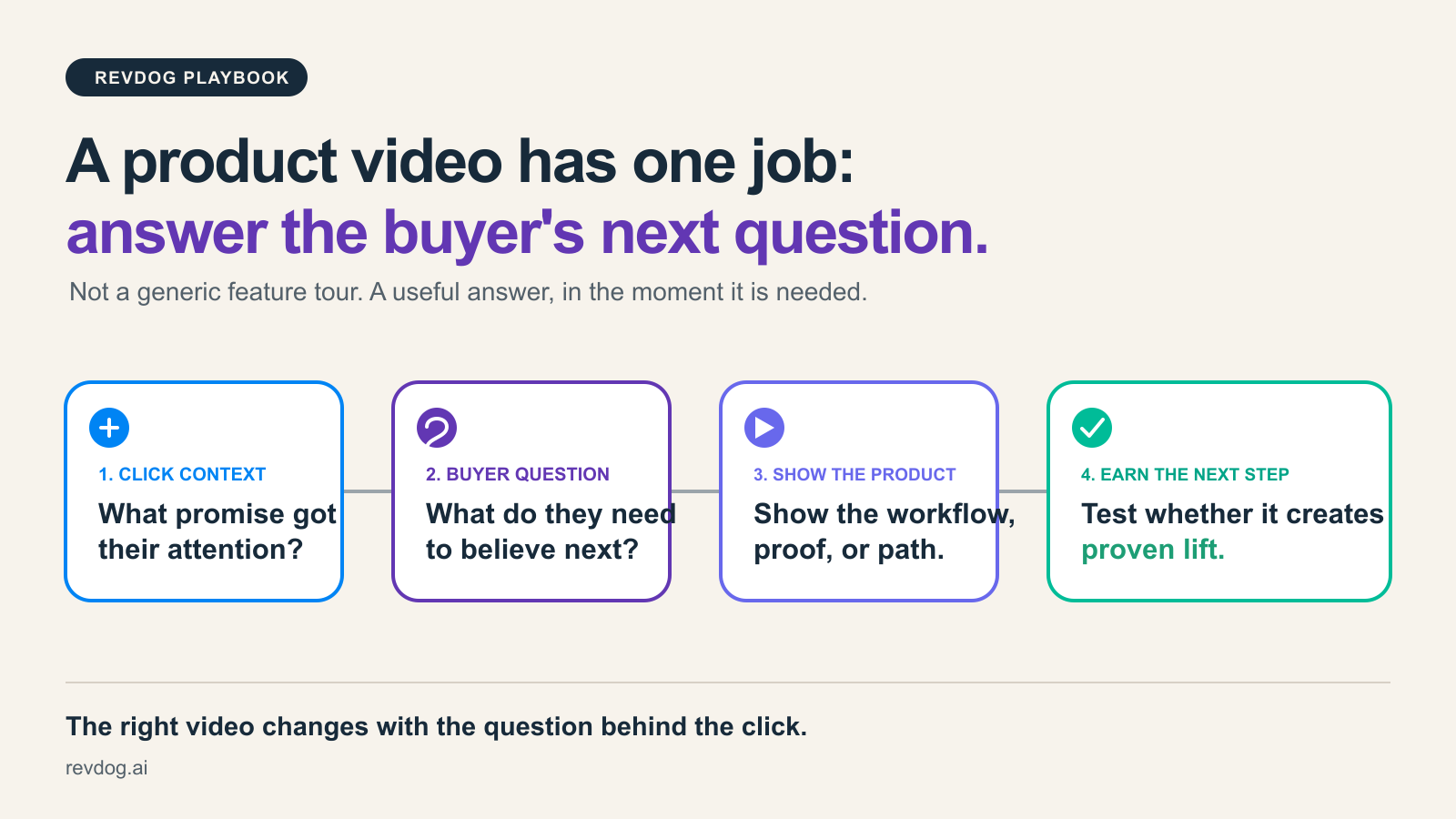
A product video can make a SaaS landing page easier to understand. It can also become a polished way to avoid answering the thing a buyer actually needs to know.
That distinction matters more than the usual debate about whether video “improves conversion.” A video is not a conversion tactic by itself. It is one possible answer to a question the page has left unresolved.
For a visitor who clicked an ad promising faster reporting, a 90-second brand film is unlikely to help. A short screen recording that shows the report being assembled, where the data comes from, and what the team does next might. For a buyer comparing alternatives, the useful video may be a migration walkthrough. For an enterprise visitor, it may be a concrete explanation of setup, permissions, or security—not a tour of every feature.
The question is not, “Should we add a video to the landing page?” It is: what uncertainty would a relevant visitor resolve faster by seeing the product in action?
Why SaaS landing-page videos often miss
Most SaaS videos fail in one of two directions.
The first is the feature tour. It opens with a logo, walks through several screens, and explains capabilities in the order the product team built them. It may be accurate, but it asks the visitor to do the work of connecting those features to their own problem.
The second is the brand explainer. It has an attractive story and a broad outcome, but it never shows enough of the product for a skeptical buyer to understand how the claim becomes real.
Both formats can have a place. Neither should be the default asset for every paid visitor.
People arriving from a campaign already have context. The ad, keyword, audience, or referral gave them a reason to click. The landing page should continue that thread rather than reset the conversation with a generic overview.
Start with the buyer question, not the storyboard
Before scripting a product video, write down the promise that brought the visitor to the page and the next question that promise creates.
| If the visitor clicked for… | They may now need to know… | A useful video should show… |
|---|---|---|
| A time-saving claim | “What changes in my team’s workflow?” | The before-and-after workflow and the first useful outcome |
| A competitor alternative | “Will switching be painful?” | Migration steps, familiar workflows, and the difference that matters |
| An integration-specific ad | “Does this work with our stack?” | The integration in context and what is configured versus automatic |
| A performance claim | “Why should I believe this?” | The method, the proof, and the limits of the claim |
| An enterprise offer | “Will this survive review and rollout?” | Roles, controls, implementation path, or buyer-ready documentation |
This is a better starting point than a universal “60-second demo” rule. Some questions need a short proof point above the fold. Others require a deeper walkthrough after the visitor has shown intent. The right length and placement follow the decision job.
A practical structure for a SaaS product video
A useful landing-page video does not need to cover everything. It needs to earn the next step.
1. Name the situation in the first few seconds
Open with the job or friction the visitor recognizes. Avoid an abstract category definition when the visitor came from a specific angle.
Instead of “Meet the modern analytics platform,” show the moment that is broken: “Your weekly report still needs three exports and a spreadsheet.” The buyer should be able to decide quickly whether the video is for them.
2. Show the product doing the consequential part
Do not spend the whole video on navigation. Show the action that changes the buyer’s situation: the report is generated, the handoff is simplified, the approval is routed, the integration is connected, or the risk is reduced.
The screen should answer “how does this work here?” without pretending that every implementation is identical.
3. Surface the proof that matches the claim
If the message is speed, show the workflow and what was removed. If it is fit, show the relevant use case. If it is trust, show the control, customer evidence, or implementation detail a buyer can inspect.
This is where most videos become vague. A claim does not become more credible because it is narrated over motion graphics.
4. Give the visitor a sensible next step
The call to action should match what the video has helped them decide. A visitor who has just understood the product may be ready to explore a use case, see integrations, start a trial, or book a demo. Do not use the video as a reason to present four equal calls to action.
Placement matters as much as production
Put a video where its answer is needed, not where the page happens to have empty space.
For broad category traffic, a short product-in-context clip near the hero can make the offer concrete. For comparison or integration campaigns, a targeted video section farther down the page may be more useful because the visitor first needs to confirm they are in the right place. For an enterprise motion, a self-guided overview can reduce basic uncertainty, but it should not hide the security, implementation, and procurement answers that serious buyers need next.
Also consider whether the asset should be a video at all. A static diagram, a short comparison table, or a direct answer may resolve the question faster. Video is valuable when seeing the workflow, interaction, or result adds understanding that text and screenshots cannot.
Test the question, not just play rate
Play rate is a useful diagnostic. It is not evidence that the video created more conversions.
A video can attract attention, increase time on page, and receive enthusiastic internal feedback while doing nothing for qualified conversion. It can also help a small, high-intent audience whose signal disappears in a page-wide average.
Measure it in context:
- Define the audience and the decision question the video is meant to answer.
- Keep the surrounding page and campaign stable enough to learn.
- Compare the experience with an appropriate control—ideally for the same campaign, source, or visitor segment.
- Track downstream outcomes such as qualified demo requests, trials, or pipeline—not only plays and clicks.
- Review what questions still appear in chat, sales calls, and navigation after the change.
If the test improves a meaningful outcome, keep it. If it only changes engagement, investigate whether the video answered an interesting question rather than the one blocking the next step.
Use the video as part of the post-click conversation
The strongest SaaS landing pages do not ask every visitor to consume the same proof in the same order. They use the context of the click to decide what to make easy to understand, then learn from the questions people still ask.
RevDog helps teams continue the conversation after a paid click. It uses the promise that brought the visitor in, helps surface the next useful answer from approved content, and compares outcomes with a holdout so teams can distinguish real lift from an attractive attribution story.
A product video can be one of those answers. It works best when it is designed for the buyer’s next question—not treated as decoration for the page.